Brand Overview
The visual identity system for Geek Inside Pty Ltd and its operating brands.
Corporate Structure
Geek Inside Pty Ltd
Geek Inside Networks
Geek Inside Consulting
All three brands share a common visual system — the processor/IC chip with geek glasses inside — representing intelligence embedded in technology. They are differentiated by colour:
- Geek Inside Pty Ltd — White. Neutral parent entity. No subtitle, no accent colour.
- Geek Inside Networks — Ember Orange / Circuit Gold. Warm, hardware-focused. Infrastructure provider, BGP ASN 140933.
- Geek Inside Consulting — Signal Blue / Sky Blue. Cool, professional. Consulting and advisory services.
Brand Family — Side by Side


Brand Concept
The core visual metaphor is a processor/IC chip with geek glasses inside — representing intelligence embedded in infrastructure. Circuit board traces radiate outward, symbolising connectivity and reach.
Brand Personality
Tagline
"Infrastructure, powered by geeks."
Brand Elements
The Chip — The IC/processor chip is the primary container. It always has rounded corners (rx: 6-10), a gradient stroke, and pin connectors on all four sides (3-4 per side).
The Glasses — Geek glasses sit centered inside the chip. They use rectangular lenses with rounded corners, a curved bridge, and angled arms. The glasses are always rendered in Circuit Gold (#F7C948) on dark backgrounds.
Circuit Traces — Background traces use right-angle routing with 45-degree transitions, mimicking real PCB design. They radiate from the center outward. Used at low opacity (10-25%) as texture in busy layouts, or up to 35-38% on simpler formats like business cards and social media. Never as a primary element.
Vias — Small filled circles at trace endpoints. Styled in Ember Orange at 25-50% opacity.
Chip Marking — The text AS140933 appears inside the chip in monospace text — the company's real BGP Autonomous System Number. This doubles as both a realistic IC marking and a brand signature that anyone in the networking world will recognise.
Colour Palette
Two brand palettes sharing a common foundation. Colour is the primary differentiator between Networks and Consulting.
Shared Colours
Both brands share these foundation colours:
Board Dark (#1A1A2E) — The primary background colour for dark contexts across all brands. Deeper than pure black, with a slight blue undertone evoking PCB substrates.
White (#FFFFFF) — The corporate parent brand uses white exclusively on dark backgrounds. This intentional neutrality keeps the parent visually "above" both coloured sub-brands.
Networks Palette
Ember Orange (#FF6B35) — Primary Networks accent. Used in chip outlines, circuit traces, interactive elements, and highlights.
Circuit Gold (#F7C948) — Used for the glasses motif, secondary accents, and fine details. Evokes circuit board gold contacts.
The Networks gradient runs from Ember Orange through Circuit Gold and back, applied to chip outlines and accent elements.
Consulting Palette
Signal Blue (#3B82F6) — Primary Consulting accent. Used in chip outlines, circuit traces, and interactive elements. Conveys professionalism and trust.
Sky Blue (#60A5FA) — Used for the glasses motif and secondary accents. The lighter tone provides warmth within the cool palette.
The Consulting gradient runs from Signal Blue through Sky Blue and back.
Background Pairing Rules
These rules apply to both brands:
Works well
- Full colour logo on Board Dark (#1A1A2E) — both brands
- Full colour logo on pure black (#000000) — both brands
- Navy monochrome logo on white (#FFFFFF) — both brands
- Dark badge variant on any light background — Networks
- White monochrome on any dark solid colour — Networks
Avoid
- Orange/gold or blue brand colours directly on white backgrounds
- Any logo on patterned or photographic backgrounds
- White logo on light grey
- Full colour logo on mid-tone backgrounds
- Mixing Networks and Consulting colours in a single context
Typography
A clean sans-serif for brand identity paired with monospace for technical credibility.
Helvetica Neue / Arial — Weight 800 (Extra Bold)
Helvetica Neue / Arial — Weight 300 (Light), letter-spacing: 6-8px, Circuit Gold (#F7C948)
Helvetica Neue / Arial — Weight 300 (Light), letter-spacing: 5px, Sky Blue (#60A5FA)
SF Mono / Fira Code / Courier New — monospace. Note: The AS140933 chip marking is Networks-specific. Consulting logos omit it.
Font Stacks
'Helvetica Neue', Arial, sans-serif — all brand and body text.
'SF Mono', 'Fira Code', 'Courier New', monospace — technical labels, ASN references, chip markings, and code.
Hierarchy
| Element | Weight | Size | Colour (dark bg) |
|---|---|---|---|
| Brand name | 800 | 28-50px | #FFFFFF |
| "NETWORKS" subtitle | 300 | 14-20px | Networks gradient / #F7C948 |
| "CONSULTING" subtitle | 300 | 14-20px | Consulting gradient / #60A5FA |
| Technical labels (Networks) | 400 | 8-12px | #FF6B35 at 35-50% opacity |
| Technical labels (Consulting) | 400 | 8-12px | #3B82F6 at 35-50% opacity |
| Body copy | 400 | 14-16px | #AAAAAA |
Geek Inside Pty Ltd
The parent entity. White on Board Dark — intentionally neutral, letting the sub-brands carry their own colour identity.
Corporate Colour
The corporate brand uses white (#FFFFFF) on Board Dark (#1A1A2E). No accent colour — this keeps the parent brand neutral and visually "above" both Networks (orange) and Consulting (blue), while reserving green for a potential future third vertical.
Full Colour — Dark Background
Monochrome Navy — Light Background


Icon & Monochrome



When to Use the Corporate Brand
| Context | Use Corporate |
|---|---|
| Legal documents, contracts, invoices | Always |
| ABN / company registration references | Always |
| Group-level communications | Yes — when not specific to Networks or Consulting |
| Staff not operating under a sub-brand | Yes — see Signatures and Stationery tabs |
| Website / marketing for a specific service | No — use the relevant sub-brand |
| PeeringDB, IX, BGP contexts | No — use Networks |
Clear Space & Minimum Size
Same rules as sub-brands — maintain clear space equal to pin connector height (~15% of logo height).
| Variant | Min Width (digital) | Min Width (print) |
|---|---|---|
| Stacked logo | 120px | 30mm |
| Horizontal lockup | 200px | 50mm |
| Icon only | 32px | 8mm |
Geek Inside Networks
Infrastructure provider · BGP ASN 140933 · Ember Orange / Circuit Gold palette
Full Colour — Dark Background
Monochrome Navy — Light Background
Dark Badge — For Light Pages
Self-contained dark elements that carry their own background. Use on white pages, documents, or partner sites where you can't control the page colour.
Icon & Monochrome

Clear Space & Minimum Size
Maintain clear space around the logo equal to the height of the chip's pin connectors (approximately 15% of logo height). Never crowd the logo with other elements.
| Variant | Min Width (digital) | Min Width (print) |
|---|---|---|
| Stacked logo | 120px | 30mm |
| Horizontal lockup | 200px | 50mm |
| Icon only | 32px | 8mm |
Networks-Specific Colours
Warm, hardware-inspired. The chip gradient runs from Ember Orange through Circuit Gold. Glasses are rendered in Circuit Gold on dark backgrounds.
Geek Inside Consulting
Consulting & advisory services · Signal Blue / Sky Blue palette
Geek Inside Consulting shares the same chip+glasses motif and typographic system as Networks, differentiated by a cool blue palette. This signals professionalism and trust while maintaining clear family resemblance.
Full Colour — Dark Background
Monochrome Navy — Light Background


Icon
Consulting-Specific Colours
Cool, professional. The chip gradient runs from Signal Blue through Sky Blue. Glasses are rendered in Sky Blue on dark backgrounds. The same Board Dark (#1A1A2E) background is shared with Networks.
Usage Notes
Do
- Use Consulting branding for all advisory, professional services, and consulting engagements
- Use Networks branding for all infrastructure, peering, and connectivity services
- When both brands appear together, give equal visual weight
- Light background variants follow the same navy monochrome rule as Networks
Don't
- Mix Networks colours (orange/gold) with Consulting colours (blue) in a single logo
- Use the Networks ASN chip marking on Consulting materials
- Create hybrid logos that combine elements from both brands
- Use Consulting branding for infrastructure/network services or vice versa
Clear Space & Minimum Size
Same rules as Networks — maintain clear space equal to pin connector height (~15% of logo height).
| Variant | Min Width (digital) | Min Width (print) |
|---|---|---|
| Stacked logo | 120px | 30mm |
| Horizontal lockup | 200px | 50mm |
| Icon only | 32px | 8mm |
Usage Rules
How to use — and not use — the brand identity.
Do
- Use full colour logo on dark backgrounds (#1A1A2E or darker)
- Use navy monochrome on white/cream backgrounds
- Use dark badge variant when placing on light pages
- Maintain aspect ratio when scaling
- Use monochrome versions for single-colour contexts (print, embossing, watermarks)
- Include
AS140933where contextually appropriate
Don't
- Place on busy or patterned backgrounds
- Use the orange/gold brand colours on white backgrounds
- Rotate, skew, or distort the logo
- Change the brand colours or gradient direction
- Separate the glasses from the chip
- Add drop shadows or outer glows
- Use the full-trace version at very small sizes (use icon instead)
Corporate — Logo Selection Guide
| Context | Recommended Variant |
|---|---|
| Legal documents / contracts | Corporate Horizontal — Light (navy mono) |
| Group website (dark theme) | Corporate Horizontal — Dark |
| Group website (light theme) | Corporate Horizontal — Light (navy mono) |
| Business card front | Corporate Primary — Dark (centred) |
| Invoices / ABN documents | Corporate Horizontal — Light |
| Email signature (group staff) | Inline SVG icon (see Signatures tab) |
Networks — Logo Selection Guide
| Context | Recommended Variant |
|---|---|
| Website header (dark theme) | Horizontal — Dark |
| Website header (light theme) | Horizontal — Light (navy mono) |
| White document / PDF | Badge Dark on Light, or Monochrome Black |
| App icon / favicon | Icon Only |
| Social profile picture | Profile Pic (stacked, dark bg) |
| Presentation slide (dark) | Primary — Dark |
| Merchandise / single-colour | Monochrome White or Black |
| PeeringDB / NOC page | Icon Only or Badge Dark on Light |
| Email signature | Inline SVG icon (see Signatures tab) |
Consulting — Logo Selection Guide
| Context | Recommended Variant |
|---|---|
| Website header (dark theme) | Consulting Horizontal — Dark |
| Website header (light theme) | Consulting Horizontal — Light (navy mono) |
| White document / PDF | Consulting Monochrome (navy on white) |
| App icon / favicon | Consulting Icon Only |
| Social profile picture | Consulting Icon Only (on Board Dark) |
| Presentation slide (dark) | Consulting Primary — Dark |
| Email signature | Inline SVG icon (see Signatures tab) |
Email Signatures
HTML email signatures for both brands. Compatible with Gmail, Outlook, Apple Mail, and most clients.
How to Use
- Open the relevant
.htmlfile in a browser - Select all (Cmd+A / Ctrl+A), copy (Cmd+C / Ctrl+C)
- Paste directly into your email client's signature settings
- Edit name, title, email, and phone number before saving
Geek Inside Pty Ltd (Corporate)
Uses Board Dark accent. No brand colour — neutral corporate identity. For staff not operating under a specific sub-brand.
Corporate Signature
brand/email-signature/corporate/signature.html
Geek Inside Networks
Uses Ember Orange accent. Includes AS140933 badge.
Networks Signature
brand/email-signature/networks/signature.html
Geek Inside Consulting
Uses Signal Blue accent. No ASN reference.
Consulting Signature
brand/email-signature/consulting/signature.html
Signature Rules
Do
- Use the correct brand signature for your role (Networks or Consulting)
- Keep the inline SVG icon — it renders without external image hosting
- Use your @geekinside.io email address
- Include direct phone number if client-facing
Don't
- Mix brand colours between signatures (e.g. blue icon with orange text)
- Add inspirational quotes, social icons, or banners
- Change the font stack or colours
- Use the Networks ASN in a Consulting signature
Business Cards
Standard 3.5" x 2" (90 x 50mm) business card templates.
Single-Brand Cards
Each brand has its own front (contact side) and back (decorative side). The front features contact details with a small brand mark; the back shows the centred chip+glasses logo with circuit trace texture.
Corporate
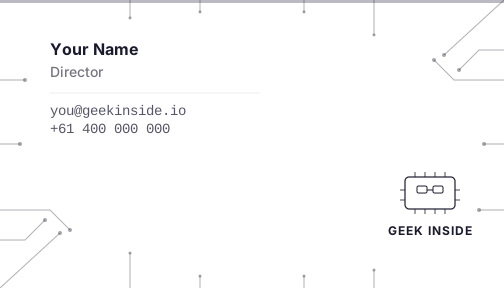
Front — Contact
White accent, corporate brand mark
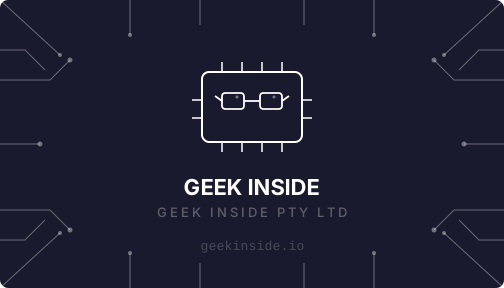
Back — Decorative
Centred white chip+glasses, monochrome
Networks
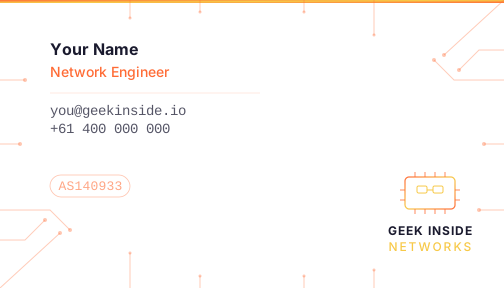
Front — Contact
Orange accent bar, Networks brand mark, AS140933
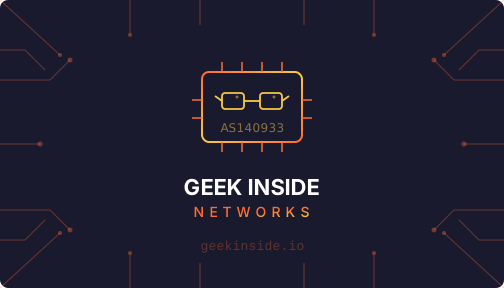
Back — Decorative
Centred orange/gold chip+glasses, circuit traces
Consulting
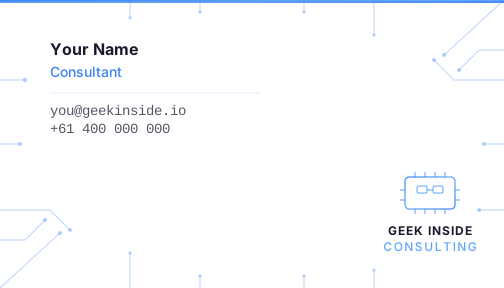
Front — Contact
Blue accent bar, Consulting brand mark
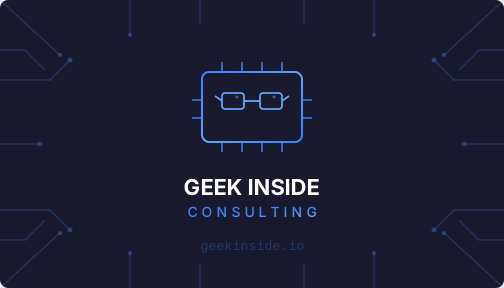
Back — Decorative
Centred blue chip+glasses, circuit traces
Group Card (Senior Staff / Directors)
For staff who represent the entire organisation rather than a single vertical. The front is brand-neutral with a subtle corporate mark; the back displays all three brand logos side by side.
Front — Contact (neutral)
Brand-neutral contact card, understated corporate mark
Back — All Brands
Corporate, Networks, and Consulting logos together
Customisation (All Brands)
Open the SVG files in a text editor or vector tool (Figma, Illustrator, Inkscape) and update:
- Name — replace "Your Name"
- Title — replace "Network Engineer" / "Consultant"
- Email — replace "you@geekinside.io"
- Phone — replace "+61 400 000 000"
Business Card Rules
Do
- Use the correct brand colours for the entity (orange for Networks, blue for Consulting)
- Keep the circuit trace background texture on business cards
- Include ASN 140933 on Networks cards
- Use @geekinside.io email addresses
Don't
- Change the Board Dark background colour on cards
- Add photos or additional graphics to the card layout
- Use personal email addresses on company cards
Letterhead
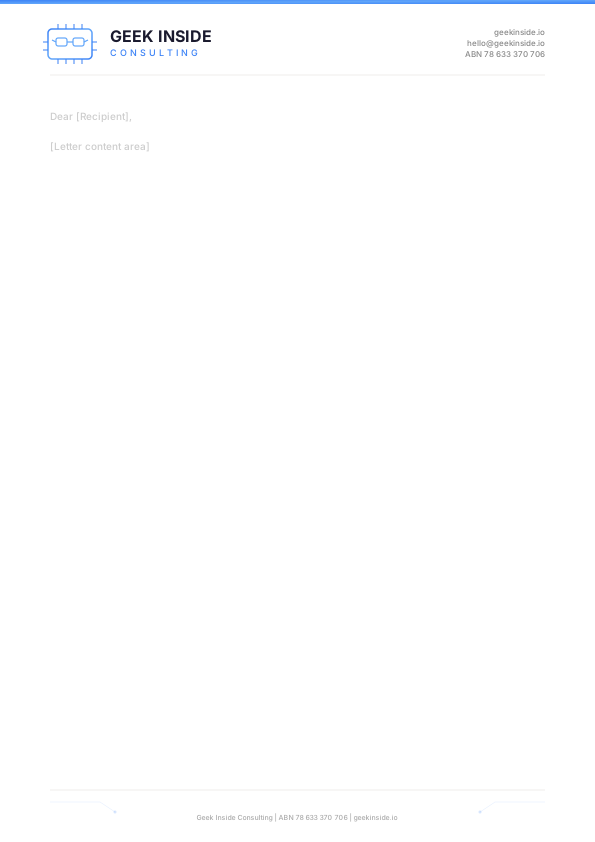
A4 letterhead templates with horizontal logo header and circuit-trace footer.
Clean white background with the horizontal logo top-left, contact info top-right, and a subtle circuit-trace footer.
Corporate Letterhead
Geek Inside Pty Ltd — navy accent bar, ABN 78 633 370 706
Networks Letterhead
Top orange gradient accent bar, Networks logo header, AS140933
Consulting Letterhead
Top blue gradient accent bar, Consulting logo header
Letterhead Rules
Do
- Use the correct brand colours for the entity
- Include ASN 140933 on Networks letterhead
- Use @geekinside.io email addresses
Don't
- Alter the header/footer proportions
- Use personal email addresses on company letterhead
- Change the white background
Favicon & App Icons
Browser tab icons, touch icons, and app marks.
Corporate Favicon
32x32 SVG. Simplified chip+glasses mark in white on Board Dark with rounded corners.

brand/favicon/corporate/favicon.svg
Networks Favicon
32x32 SVG. Simplified chip+glasses mark in orange/gold on Board Dark with rounded corners.

brand/favicon/networks/favicon.svg
Consulting Favicon
32x32 SVG. Simplified chip+glasses mark in blue on Board Dark with rounded corners.

brand/favicon/consulting/favicon.svg
Implementation
Add to your HTML <head>:
<link rel="apple-touch-icon" href="/apple-touch-icon.png">
For PNG exports, generate at these sizes:
| Use | Size |
|---|---|
| Browser favicon | 32 x 32px |
| Retina favicon | 64 x 64px |
| Apple touch icon | 180 x 180px |
| Android Chrome | 192 x 192px |
| Windows tile | 270 x 270px |
| App store icon | 512 x 512px |
Export Sizes
All three favicon SVGs (Networks, Corporate, and Consulting) scale cleanly. Export PNGs at the sizes listed above for each brand.
Quick Reference
Everything at a glance.
Corporate
| Parent Entity | Geek Inside Pty Ltd |
| Brand 1 | Geek Inside Networks — Infrastructure |
| Brand 2 | Geek Inside Consulting — Advisory |
| ASN | AS140933 (Networks only) |
| Tagline | Infrastructure, powered by geeks. |
Shared Identity
| Primary Font | Helvetica Neue / Arial (800, 300) |
| Mono Font | SF Mono / Fira Code / Courier New |
| Dark Background | #1A1A2E — Board Dark (both brands) |
| Light Background | Navy monochrome logo on #FFFFFF (both brands) |
Corporate Colour
| Primary | ■ #FFFFFF White on Board Dark — no accent colour |
Networks Colours
| Primary | ■ #FF6B35 Ember Orange ■ #F7C948 Circuit Gold |
| Chip marking | AS140933 |
Consulting Colours
| Primary | ■ #3B82F6 Signal Blue ■ #60A5FA Sky Blue |
| Chip marking | None (no ASN) |
Asset Sizes
| Profile Picture | 400 x 400px |
| LinkedIn Banner | 1584 x 396px |
| Twitter/X Banner | 1500 x 500px |
| Favicon | 32 x 32px SVG |
| Business Card | 3.5" x 2" (504 x 288px at 144dpi) |
All Files
© Geek Inside Pty Ltd — AS140933
Social Media
Platform-specific assets, sizing, and guidelines for both brands. Current provided assets are Networks-branded; Consulting assets follow the same templates with blue palette substitutions.
Image Specifications
Networks Assets
Consulting Assets
Profile Picture Guidelines
Use the profile-pic.svg across all platforms. It features the chip+glasses icon on the Board Dark background with the company name below. At small sizes (circular crop on Twitter/LinkedIn), the chip and glasses remain the focus.
Do
Don't
Banner / Cover Guidelines
Banners use the full brand expression: Board Dark background, circuit traces, centred chip+glasses, and company name. The bottom accent bar in the brand gradient anchors the composition.
Do
Don't
Post & Content Guidelines
Voice & Tone
Social posts should sound like a knowledgeable colleague, not a corporate account. Technical accuracy is mandatory — never simplify to the point of being wrong. This applies to both brands.
Networks — Infrastructure-focused. Direct, technical, operational.
Consulting — Advisory-focused. Insightful, practical, expert.
Post Image Templates
When creating images for social posts, follow these rules for both brands:
Networks posts: Use the orange/gold gradient accent bar (4-6px). Technical details in Ember Orange monospace.
Consulting posts: Use the blue gradient accent bar (4-6px). Technical details in Signal Blue monospace.
Hashtags
Networks:
#GeekInsideNetworks— primary brand tag#AS140933— ASN tag for peering/networking audiences#BGP#Peering#Infrastructure— community tagsConsulting:
#GeekInsideConsulting— primary brand tag#NetworkConsulting#InfrastructureDesign— service tagsPlatform-Specific Notes